How to find a YouTube channel ID?
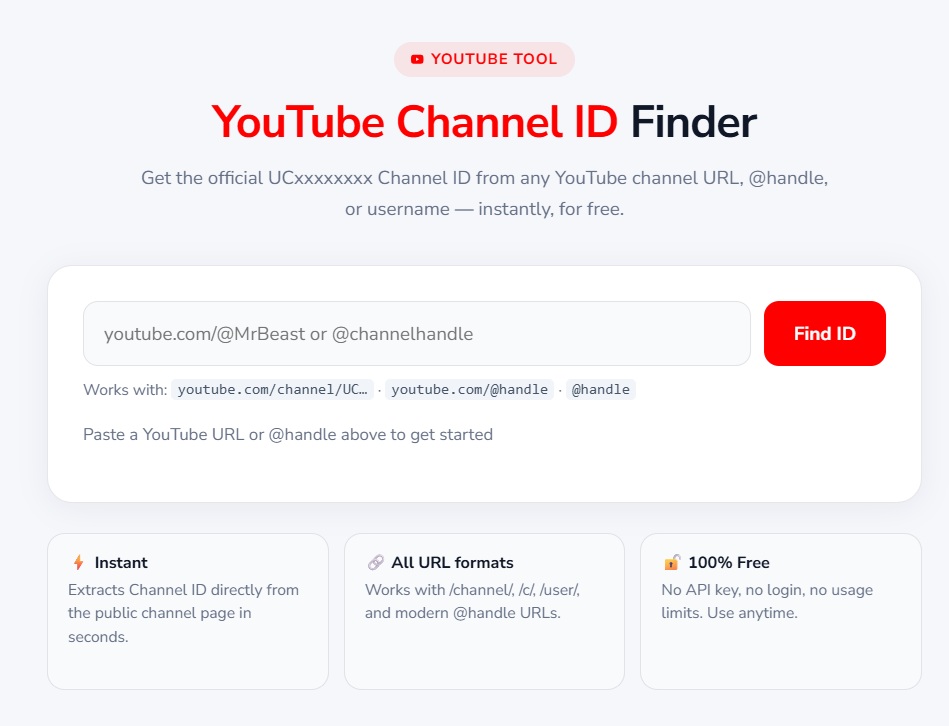
While working on YouTube, we often need a channel's ID. Whether it is for YouTube API integration, SEO analysis, or connecting the channel to a third-party tool, the Channel ID serves as a unique identifier.
But the question is, how do you find a YouTube Channel ID?
The easiest way is to use the YouTube Channel ID Finder Tool.
What is a YouTube Channel ID?
It is a unique alphanumeric code that gives every channel a distinct identity.
With the Channel ID, you can easily track the channel across APIs, SEO tools, and other platforms.
Example: UC1234567890abcdef
Steps to Find YouTube Channel ID -
Open the Tool: Go to the YouTube Channel ID Finder.
Enter Channel URL: Enter the URL of the channel for which you need the ID.
Click Find: Click the button to instantly get the channel's unique ID.
Copy and Use: Now, use this ID for APIs, SEO reports, or any integrations.
Why Use This Tool? -
- Fast & Accurate: Provides the correct Channel ID in seconds.
- Beginner-Friendly: No technical knowledge required.
- Free Tool: Completely free and easy to use.
- SEO Friendly: Perfect for bloggers and digital marketers.
Example
Suppose you have the channel URL:
https://www.youtube.com/@marginsite
Enter it into the tool, and you will get the Channel ID immediately:
UC1234567890abcdef
For more free tools or free AI tools, always visit valsolution.com, Free solutions for everyone.
Frequently Asked Questions
What is a YouTube Channel ID?
A YouTube Channel ID is a unique alphanumeric code that gives every channel a distinct identity. It is essential for tracking the channel across APIs, SEO tools, and third-party platforms.
Why do I need a YouTube Channel ID?
- For YouTube API integration
- For SEO analysis and tracking channel performance
- To connect the channel to third-party tools
How can I find my YouTube Channel ID easily?
The easiest way is the YouTube Channel ID Finder Tool.
Simply enter the channel URL, and you will get the unique Channel ID in seconds.
Is the YouTube Channel ID the same as the Username?
No. A username can change, but the Channel ID always remains unique and permanent.
Can I use the Channel ID for SEO?
Yes, with the help of the Channel ID, you can track channel performance and generate SEO reports.
Is the Channel ID Finder tool free?
Yes, this tool is completely free and beginner-friendly.
Can I find the Channel ID via YouTube settings?
Yes, you can view the Channel ID by going to YouTube Studio → Settings → Advanced Settings. However, using the tool is much easier and faster.
Comments
Share a useful thought or ask a question about this article.
Leave a comment