How it works
Remove the background in three simple steps
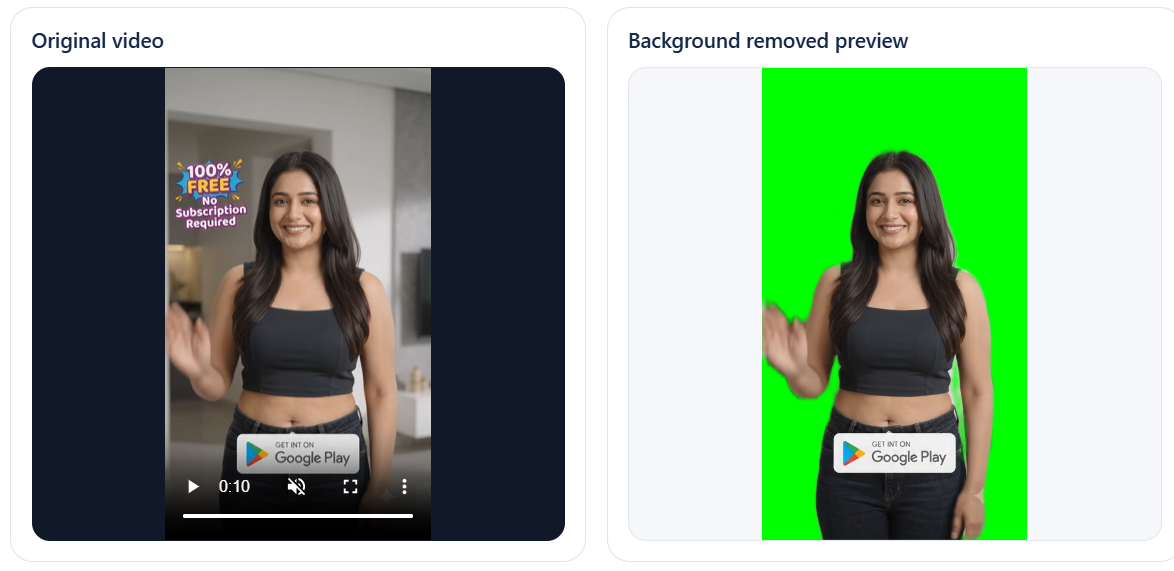
This tool exports a WebM with a clean solid background color. You can then remove that exact color in your video editor.
- Upload your clipSelect a file up to 30 seconds and 50 MB. It is processed in your browser.
- Choose the right methodStart with Person AI for people, or Outside Background for logos, graphics, and solid backgrounds.
- Export and key it outDownload the WebM and remove the chosen output color in your editor.
Private processing
Your selected video is processed locally in the browser. Person AI downloads model files when it starts, but your video is not sent to our server.
Why three methods?
Person AI works best for people, Outside Background protects enclosed matching colors, and Remove Color Everywhere is useful only when every matching pixel should be keyed.
Browser compatibility
Recent Chrome and Edge work best. Downloads use WebM with a solid background because browsers do not reliably export transparent alpha video.
Frequently asked questions
Is the video uploaded anywhere?
No. The video stays on your device and is processed by your browser.
What is the safest mode for logos or graphics?
Start with Outside Background. It removes the selected color only when it is connected to the outside edges, which helps preserve matching colors inside the design.
Why is the limit 30 seconds and 50 MB?
Video processing in the browser is resource-heavy. These limits help prevent crashes and keep the tool usable on normal phones and computers.
Why does the downloaded video not have transparency?
Browser MediaRecorder does not reliably preserve transparent alpha video. This tool exports a solid chroma-key color that you remove in your editor.
Will the exported video keep its audio?
The tool tries to preserve audio when the browser supports it, but some browsers or source formats may export without audio.