Remove Image Background Online for Free – No Limit, No Trial
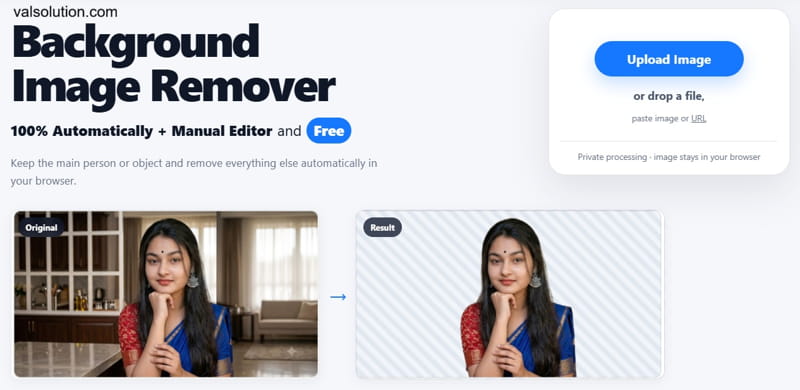
Removing the background from an image should not be complicated, and it should not require a subscription for every small task. We have created a simple, free online Background Image Remover that can automatically remove the background from photos directly in your browser.
There is no trial, no daily limit, and no paid plan required. You can use the tool as many times as you want.
What is the Background Image Remover?
The Background Image Remover is an online tool that separates the main person or object from the background of an image.
You simply upload an image, and the tool tries to detect the main subject automatically. The background is then removed so that you can save the subject with a transparent background.
It can be useful for profile photos, product images, thumbnails, presentations, social media graphics, website images and many other everyday tasks.
100% Free and Unlimited
Many online background removal tools allow only a few free images, reduce the image quality, add watermarks, or ask you to purchase credits.
This tool is different.
You can use it:
- 100% free
- Without a trial period
- Without daily limits
- Without image credits
- Without a subscription
- As many times as you need
There is no premium background removal mode hidden behind a payment screen.
Automatic Background Removal
You don't need to manually trace around the person or object before starting. Upload your image and the tool automatically attempts to identify the main subject and remove the surrounding background.
This makes it useful when you just want a quick result without opening a large photo-editing application.
Manual Editor When You Need More Control
Automatic background removal works well for many images, but every photo is different. Hair, small objects, complex edges or a busy background can sometimes need a little correction.
For this reason, the tool also includes a manual editor. After automatic processing, you can fine-tune the result instead of having to start again in another application.
Don't keep in Server
Privacy is also important when working with personal photos. The tool processes images in your browser, so the workflow is designed to avoid unnecessarily sending your image somewhere just to perform a basic background removal task.
This is especially useful for personal photos, work images or other files that you may not want to upload to multiple online services.
Useful for Product Photos
If you sell products online, a clean background can make a product image much easier to use. You can remove the original background and then place the product on:
- A white background
- A custom website background
- A promotional banner
- A marketplace listing
- A social media post
It can also help when you want the same visual style across multiple product photos.
Useful for People and Profile Photos
The tool can also remove backgrounds from photos containing people. For example, you can use the transparent result for a:
- Profile picture
- YouTube thumbnail
- Resume or portfolio
- Presentation
- Social media graphic
- Poster
- Website banner
Instead of trying to crop around the person manually, you can remove the original background first and use the person in a new design.
No Software Installation
You do not need to install Photoshop or another desktop program for a simple background removal job. The tool works online in a modern web browser.
Just open the page, upload your image, remove the background and save your result. This also makes it useful when you are working on a computer where you do not want to install additional software.
Simple Workflow
Using the tool is straightforward:
- Open the Background Image Remover.
- Click Upload Image or drag and drop your image.
- Wait for automatic background removal.
- Check the result.
- Use the manual editor if any area needs correction.
- Export your finished image.
That's it.
Why We Added This Tool?
For many simple jobs, people don't need another subscription. Sometimes you only want to remove a background from one product image, profile photo or thumbnail. And sometimes you may need to process many images without worrying about credits or usage limits.
That is why this tool is designed to stay simple: upload, remove, edit and export.
No unnecessary steps.
Try the Free Background Image Remover
If you need to remove the background from an image, you can try the tool directly in your browser. It is free to use, has no trial period, and there is no usage limit.
Whether you are preparing a product image, profile photo, thumbnail or website graphic, it gives you a quick way to create a clean, transparent-background image without installing additional software.
Comments
Share a useful thought or ask a question about this article.
Leave a comment