Free YouTube Thumbnail Maker Online: Create Thumbnails That Get More Clicks
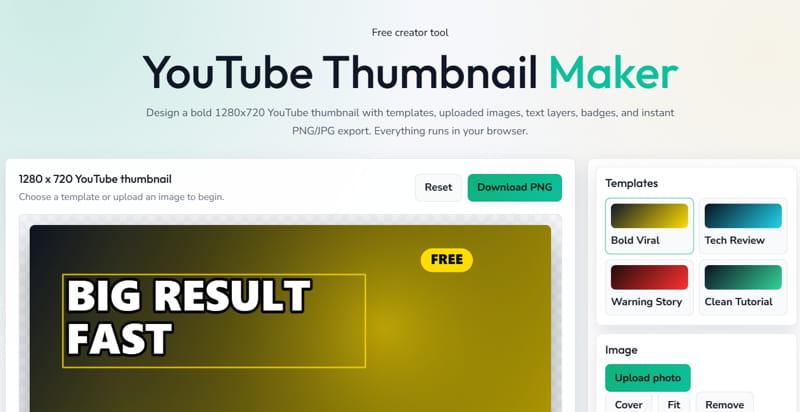
A good YouTube video starts with a strong idea, but most viewers decide whether to click before they even read the title. That first decision usually comes from your thumbnail.
Your thumbnail is like the cover of your video. If it looks clear, sharp, and interesting, people are more likely to stop scrolling and watch. If it looks messy or boring, even a great video can be ignored.
That is why a simple and fast YouTube thumbnail maker can make a big difference for creators, marketers, vloggers, educators, and businesses.
With ValSolution’s free tool, you can create a custom thumbnail directly in your browser: Use the free YouTube Thumbnail Maker
Why YouTube Thumbnails Matter -
YouTube is a visual platform. Before someone watches your content, they see your thumbnail, title, and channel name. A strong thumbnail can help your video stand out in search results, suggested videos, and homepage recommendations.
A good thumbnail helps you:
- Get more clicks from YouTube search
- Improve your video click-through rate
- Make your channel look more professional
- Build a recognisable visual style
- Explain the video topic quickly
- Attract viewers even before they read the full title
Many creators spend hours recording and editing videos, but only a few minutes on the thumbnail. That is a mistake. Your thumbnail can directly affect how many people choose your video over another one.
What Makes a Good YouTube Thumbnail -
A successful YouTube thumbnail is not just colourful. It should be easy to understand at a quick glance.
Here are a few things that work well:
- Clear subject or main image
- Bold and readable text
- Good contrast between background and text
- Emotion, expression, or curiosity
- Simple layout without too much clutter
- Consistent branding for your channel
- Correct YouTube thumbnail size
The recommended YouTube thumbnail size is 1280 x 720 pixels, with a 16:9 ratio. This size works well across mobile, desktop, TV, and embedded video previews.
Create Thumbnails Without Design Experience -
Not everyone is a graphic designer, and that is perfectly fine. A good online thumbnail maker should make the design process easier, not more confusing.
ValSolution’s YouTube Thumbnail Maker is useful when you want to quickly create a thumbnail without opening heavy editing software.
You can use it for:
- YouTube videos
- Shorts cover ideas
- Tutorial thumbnails
- Gaming thumbnails
- Tech review thumbnails
- Music video thumbnails
- Educational videos
- News and commentary videos
- Product explainers
Whether you are running a new channel or improving an existing one, a clean thumbnail can help your content look more serious and clickable.
Tips to Make Your Thumbnail More Clickable -
Use short text. A thumbnail is small, especially on mobile. Instead of writing a full sentence, use 2 to 5 powerful words.
Choose readable fonts. Fancy fonts may look stylish, but if viewers cannot read them quickly, they will not help.
Use faces when possible. Human expressions often catch attention faster than objects or plain text.
Keep enough empty space. Do not fill every corner. A cleaner design usually performs better.
Match the video topic. Avoid misleading thumbnails. They may get clicks once, but viewers will leave quickly if the video does not match the promise.
Use brand colors. If you post regularly, consistent colors and layout can help viewers recognize your videos faster.
Who Can Use This Tool -
This free YouTube thumbnail creator is helpful for almost anyone publishing video content.
Content creators can use it to design thumbnails for regular uploads.
Teachers can create clear thumbnails for educational videos.
Businesses can make branded thumbnails for product demos.
Freelancers can prepare client thumbnails faster.
Beginners can create professional-looking designs without learning complex software.
The goal is simple: make thumbnail creation faster, easier, and better.
Start creating your next video thumbnail here: Free YouTube Thumbnail Maker Online. A better thumbnail can mean more clicks, more views, and a stronger YouTube channel.
Frequently Asked Questions
What is the best YouTube thumbnail size?
The recommended YouTube thumbnail size is 1280 x 720 pixels with a 16:9 ratio.
Is this YouTube thumbnail maker free?
Yes, ValSolution’s YouTube Thumbnail Maker is free to use online.
Can I create a YouTube thumbnail without Photoshop?
Yes, you can create a thumbnail directly in your browser using an online thumbnail maker.
Comments
Share a useful thought or ask a question about this article.
Leave a comment