How do you convert a Word table to HTML?
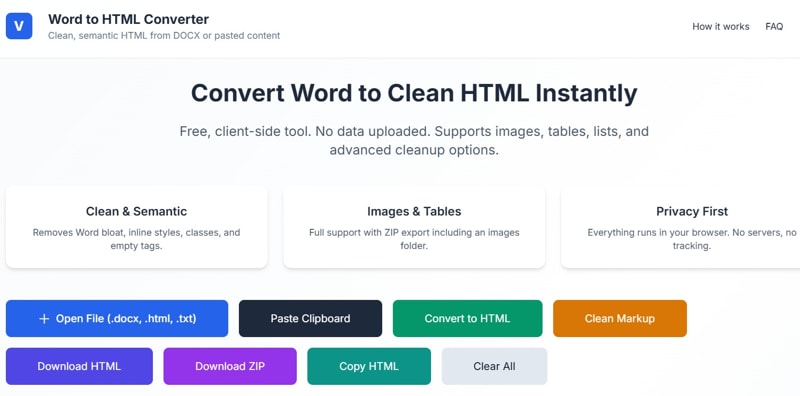
If you want to convert an instant Word Table to HTML code, then you are on the correct page. Here, you can find that how to Convert Word table to HTML using our Free online Word to HTML tool.
You can easily convert a Word table into clean HTML using the free online Word to HTML Converter from ValSolution. Unlike Word’s built-in export, this tool removes bloated code, inline styles, and unnecessary tags, giving you lightweight, semantic HTML ready for websites.
Why Use ValSolution’s Word to HTML Converter?
Clean & Semantic HTML: Removes Microsoft-specific styles, classes, and empty tags.
Privacy First: Runs entirely in your browser—no data is uploaded.
Full Support: Handles tables, lists, and embedded images.
Flexible Export: Download as a single HTML file or a ZIP (with images in a separate folder).
Step-by-Step Guide to Convert a Word Table -
Open the Tool: Visit ValSolution Word to HTML Converter.
Paste or Upload: Copy your table from Word and paste it into the left pane, or drag-and-drop a .docx file.
Convert: Click Convert to HTML to generate markup.
Clean Markup: Use options like Remove inline styles, Remove classes & IDs, and Strip comments for optimisation.
Export: Download the HTML file or ZIP package with images
Now you can convert your simple word table to html here.
Tags# Word to HTML converter, Convert Word table to HTML, Free online Word to HTML tool
Comments
Share a useful thought or ask a question about this article.
Leave a comment